Maker Faire

September 18th, 2011

My first Maker Faire… where do I start? I could go on and on about the standard stuff: amazing projects, amazing people, etc, but here’s 3 things that I think capture the essence of my experience.

  • I walk into the paella line on friday to hear Jimmie Rodgers say “…and there he is!” He’s talking with the Lower East Kitchen people, who use the PID library in their sous-vide kit. We wind up having a conversation over dinner that somehow winds up at plasma physics.
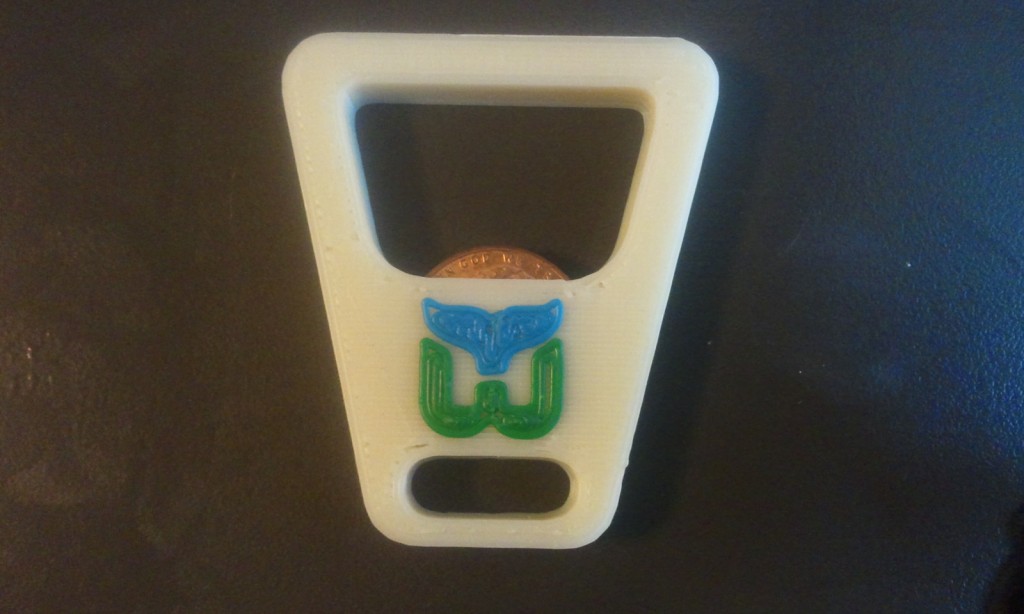
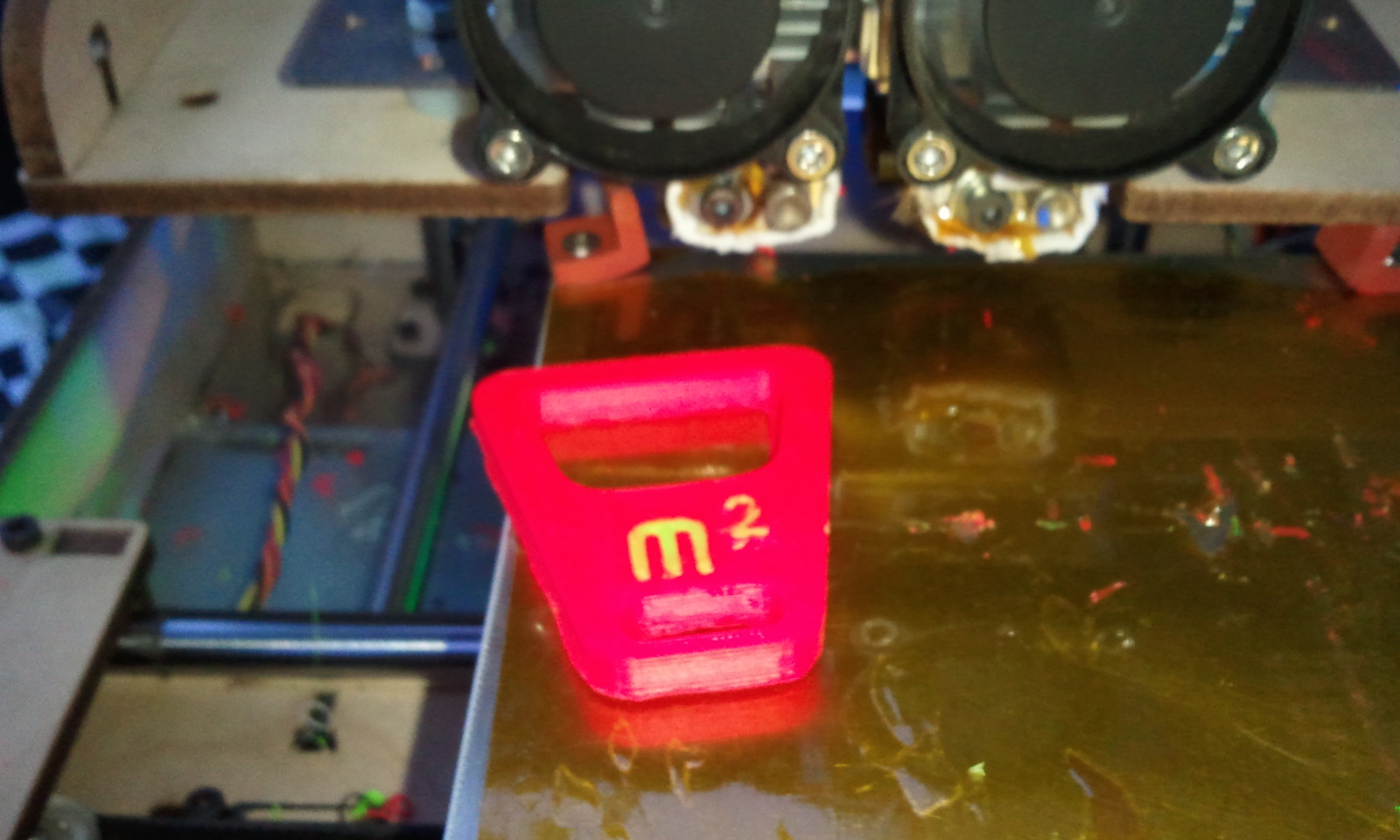
  • I get to see the dual extruder thingomatic for the first time. The next morning on the train to the Faire I design a two color version of the pocket coin-op bottle opener. They take my design – the second 2-color part to be user-submitted to thingiverse – and print the hell out of it.
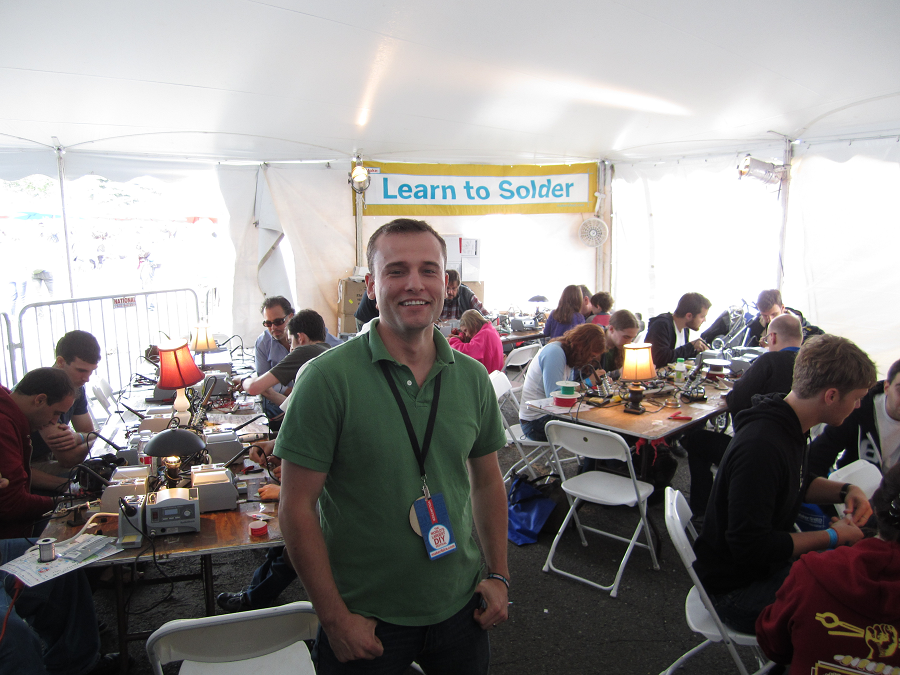
  • While volunteering in the soldering area, I ask a group of people if they need help with their Brush Bots. There’s a tricky little step where you’re supposed to tape the the battery leads to the motor. A girl in the group, maybe 11 years old, tells me that they don’t need help; she has found a much better way to do it. And it is better: forehead-smack better. I have her teach another volunteer the technique, and when I come back 2 hours later everyone is doing it her way.

As you can imagine, I thoroughly enjoyed myself. I will definitely be doing this again.

flattr this!

A Little Teaser

September 15th, 2011

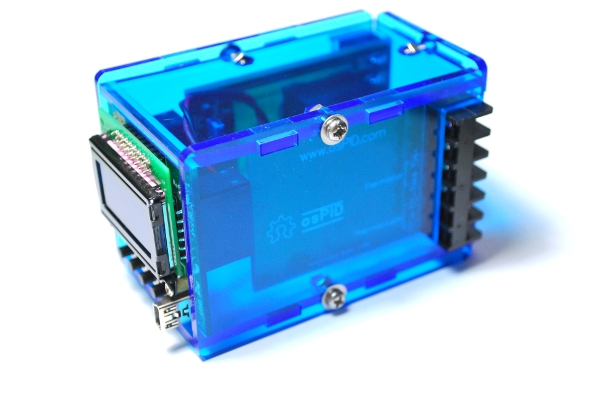
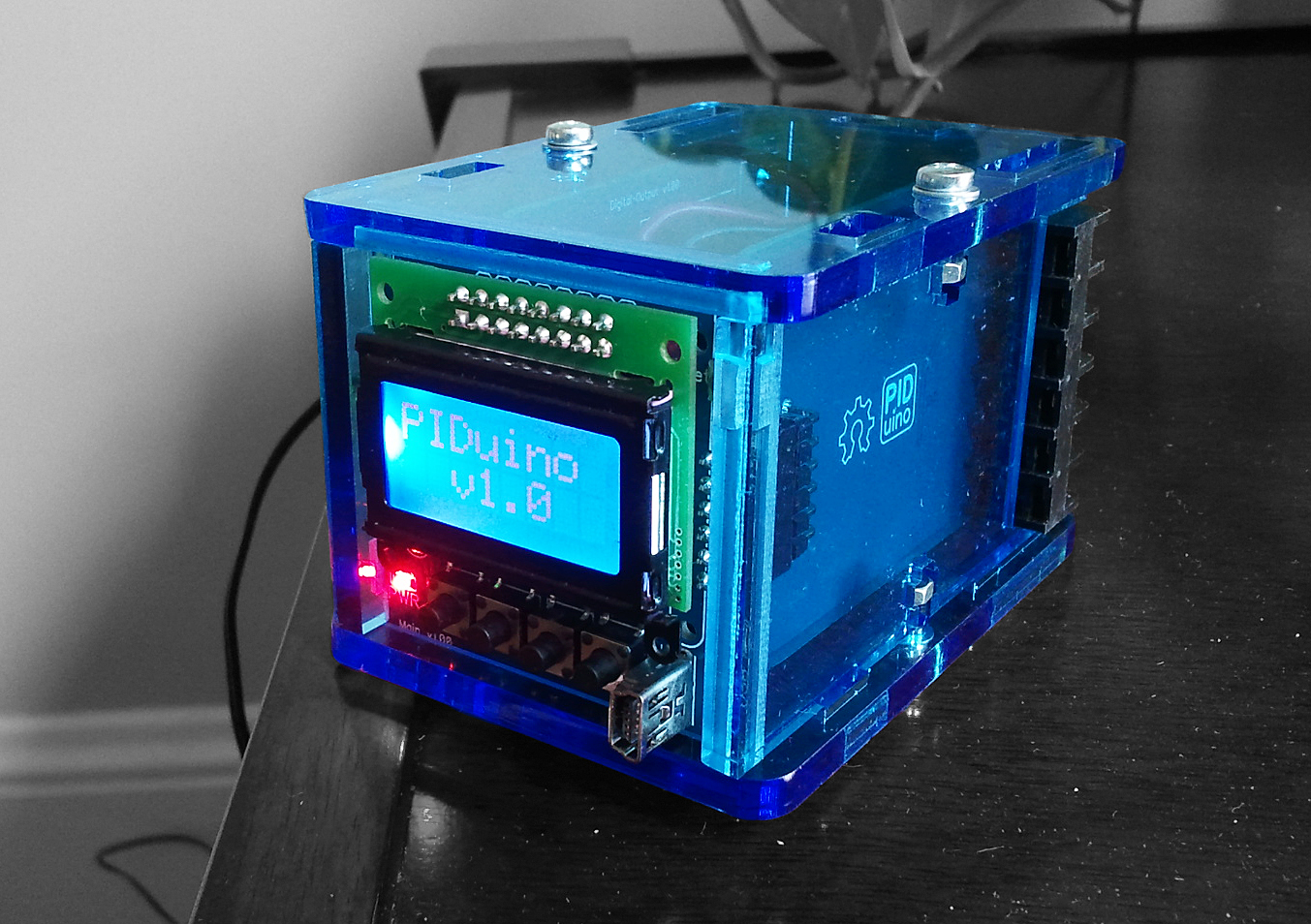
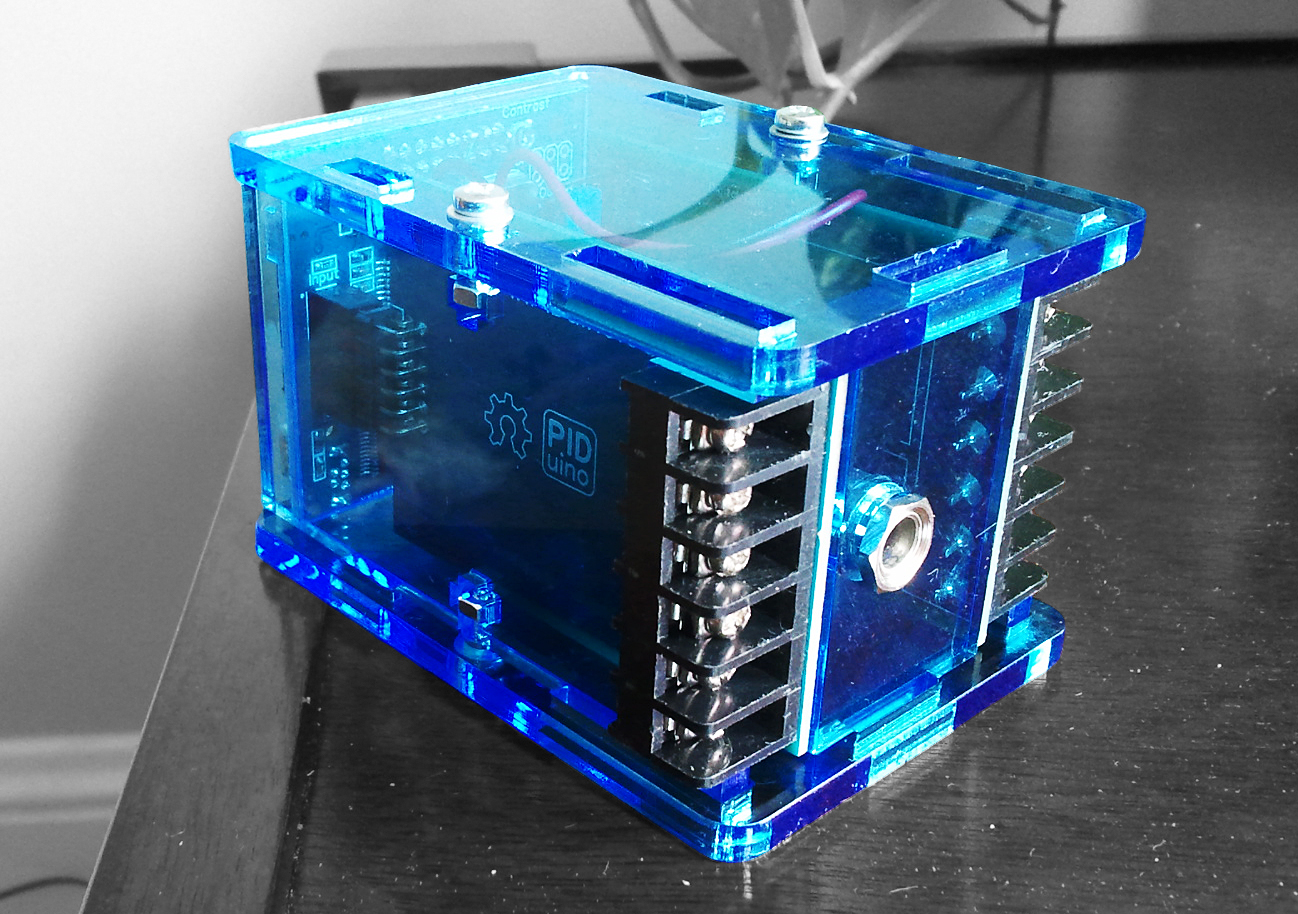
I haven’t done many PID posts in the last couple months. Rest assured I haven’t been sleeping on that front. I’ve been working closely with RocketScream on an OSHW project that should be released soon. Here are a couple teaser pictures to (hopefully) get you drooling.

As I post this I’m on my way to Makerfaire NYC. I’ll have this with me if you’d like a closer look.

flattr this!

Making a Custom Bottle Opener

September 3rd, 2011

I recently posted an improved bottle opener design to Thingiverse. Unlike the mighty bottle opener, this is one that I’m proud to give out, and people are happy to receive.

Because I did the model in OpenSCAD, it turns out to be really easy to create personal, one-of-a-kind gifts for my friends. In this post I’ll go through the steps I took to make an opener for my friend deWit. He skis, and he’s pretty good:

Ok, maybe he’s really good. Anyway, this has been my favorite skiing picture since it was taken a few years back. I thought it might be nice to capture some of this awesomeness in opener form.

Step 1: Get the image into Inkscape


The first thing I did was use the Windows snipping tool to copy into Inkscape just the section I wanted.

Step 2: Trace


Using the Bezier tool I then created a rough outline of what I wanted to print. This was going on a pretty small area, so I couldn’t get that much detail. Also important to note, I only used straight lines. No splines; they don’t seem to work in the upcoming steps.

Step 3: Save as DXF


Having served its purpose, I deleted the image to leave just the outline. I then saved the file as a DXF into my OpenSCAD directory.

Step 4: Import into OpenSCAD

This was the only painful part. Getting the DXF into OpenSCAD is a simple matter of calling the linear_extrude function. The problem is that the scale, position, and rotation of theDXF were way off. As a result I also needed to add scale, rotate, and translate commands to get the DXF stuff into place.

The code selected in the image above moves the part by [-89,86,thickness], rotates it 90 degrees, and scales by 70% on the x and y axes.

Once I was happy with the placement I exported to STL and moved over to ReplicatorG.

Step 5: Check the GCODE

Just because I drew this outline didn’t mean that that’s exactly what would get printed by the Makerbot. We’re working with a 0.5mm stream here, and some details may have been lost. Luckily you can visualize the gcode before the part gets printed.

In the Skeinforge profile, I made sure that SkeinLayer was turned on. This brings up a tool path visualization after the gcode is generated. Going to the last layer showed me the tool path I was interested in:

So here we can see that I lost some important detail. The ski-poles and backpack straps are missing. Time to tweak!

Step 6: Tweak


When I traced out the poles and straps I made them too thin. As a result Skeinforge just ignored them. By editing the nodes on my path I was able to make the tin spots a little thicker. I then repeated steps 3-5 and was rewarded with this:


OK! Printing time.

Step 7: Print!

Aaaand done. Pretty cool right? Maybe not as cool as hucking air off the wall at Kirkwood, but I’m pretty happy with the results. As you can see the detail is pretty poor, but that’s the nature of the medium and the size of the canvas.

This one is really pushing the limit of what you can fit into that tiny space. Here’s two more that I did that might give you a better idea of what can be accomplished if you choose an image that doesn’t require as much detail:

I’ve been having a lot of fun making these. It’s feels great to be able to give an inexpensive gift that’s personal and useful.

flattr this!

3D Printing Home Improvement

August 29th, 2011

I’ve lived in my house for 2 years now. 2 weeks after we moved in, someone who shall remain nameless turned our 2 bathroom house into a 1.5 bath.

They were cleaning the bathroom (that’s how you know it wasn’t me.) While leaning on the D-Shaped shower curtain rod for support, the whole thing came down. Come to find out the support brackets were woefully inadequate.

“I should really do something about that…” but we only really NEEDED one shower, and you can’t buy the brackets separately, so I did nothing. I wasn’t going to spend $100 for a shower we’d never use.

Flash forward to the present. We’re going to have a house guest staying with us for the next couple months. Now having 2 showers makes a lot of sense, but I still didn’t want to spend $100. So I set about designing a set of support brackets that would be a bit stronger.

I designed 2 sizes. one with the original hole spacing, and a smaller one in case the first guy wouldn’t fit on the Thingomatic’s build platform.

It turns out that I had to go with the smaller one. “Smaller.” Each bracket was was still a 3 hour print. It would have been faster if I hadn’t done 100% fill, but these are load bearing so I didn’t want to take any chances.

I’m not all that happy with the print quality, but they should be fine. I did the white one first, and about 2.5 hours in I accidentally disconnected usb, stopping the print. oh well. The next day I printed the yellow one. I used yellow because we were almost out of white and I didn’t think I’d have enough. The plastic wasn’t flowing as well with the yellow. I probably should have used a different temperature, but again, on a 3 hour print you just let it go.


All in all I’m really happy in the “problem solved” department. I’m not going to be doing pull-ups off this thing any time soon, but I’m pretty sure that the brackets will be the last thing to break if this ever comes down again.

flattr this!

Sousvide-O-Mator [PID Showcase]

August 17th, 2011

Sous-vide BabyTop

There have been many sous vide projects floating around the tubes recently. The one I’m showcasing here was first brought to my attention by the Adafruit blog. I found out from the developer that he was in the midst of a full write-up, so I held off on posting. Now that the write-up is done, we can see that he’s put together an impressive little project.

Great documentation, excellent implementation of the PID Library, delicious, delicious meat? What’s not to love? I’m also looking forward to subsequent posts, where he promises to show “how to calibrate the beast :)

flattr this!

When a Maker Gets Married

August 15th, 2011


I got married a couple of weeks ago. We did all the planning / decoration ourselves. By we, or course, I mean my wife. One of the things she wanted to do was have paper lanterns suspended above the tables.

The initial plan was to use throwies, but I felt they wouldn’t give as much light as a commercial 3 LED solution. This led me to a fun, albeit time consuming project.

The commercial version boasts a 12 hour life, which probably means 6-8 hours at decent brightness. I was looking for something that we could set up the night before, so I settled on 3 LEDs powered by 2 AA batteries. (It turns out that this provided bright light for 3-4 days, with the LEDs still going after 1.5 weeks)

The Design

The over-arching design constraint was to have the lights held pretty high within the lantern. Initially I had thought they would be in the middle, but because LED light radiates out in a cone, having them higher leads to more of the lantern being lit.

constraint #2 came from the fact that I decided to 3D print the frame. Since I was making A lot of these (75) I needed to make them as quickly as possible. This meant a skeletal design using as little plastic as possible. Here’s what I came up with:

There’s just a bare minimum of plastic there. most of the structural integrity comes from the batteries themselves. By making the batteries parallel to the ground I was also able to get the lights a little higher than if they had been perpendicular.

Construction

Designing / printing of the frame was only the beginning. I was able to print 4 holders at a time on sprout’s thingomatic. During the 38 minute print, I would wire up the previously printed set. It took me a while to settle on an efficient assembly technique, but here’s what I wound up with (mouse over for description, click for larger image):


Since these were designed to be used only once, and they weren’t going to be moving around a lot, I was ok just melting loops of wire into the ABS frame. Springs and plates would have been more robust, but also more costly and time consuming.

Once the unit was assembled, I inserted the batteries using a piece of paper to break the circuit prior to installation. While not technically needed, I also secured the batteries with tape so they wouldn’t fall out during transport.


One design wrinkle I ran across during setup: the 3 LED configuration created weird hot-spots on the sides of the lanterns. A single-ply piece of kleenex taped over the lights acted as a diffuser. It slightly diminished the intensity of the light, but it provided that soft glow we were after.

Results

I think they turned out great. They produced the desired lighting effect, and I got many “wait… you did what?” responses. In the end it took me about 20min per unit. considering I made 75 of these it was a complete commercial flop. BUT it’s always fun to exercise the design muscles, and I was able to contribute something personal to our celebrations.

UPDATE: Part has been uploaded to Thingiverse

flattr this!

PID: When Should I Compute the Integral Term?

July 24th, 2011

Recently there was a suggestion posted to the Beginner’s PID Series. The contention was that if you solve things in the Laplace domain, it specifies a different way of executing the Integral Term. Rather than looking at the sum of error for THIS point, the commenter suggested, you should look at the sum from the last point.

So the current code is this:

      /*Compute all the working error variables*/
	  double input = *myInput;
      double error = *mySetpoint - input;
      ITerm+= (ki * error);
      if(ITerm > outMax) ITerm= outMax;
      else if(ITerm < outMin) ITerm= outMin;
      double dInput = (input - lastInput);

      /*Compute PID Output*/
      double output = kp * error + ITerm- kd * dInput;

and the suggestion was this:

      /*Compute all the working error variables*/
	  double input = *myInput;
      double error = *mySetpoint - input;

      double dInput = (input - lastInput);

      /*Compute PID Output*/
      double output = kp * error + ITerm- kd * dInput;

	  ITerm+= (ki * error);
      if(ITerm > outMax) ITerm= outMax;
      else if(ITerm < outMin) ITerm= outMin;

I had never seen it done this way, but I figured I’d give it a shot. The test I devised was a simple setpoint step, followed by a ramp down.

With the controller set at the default sample time, the difference was imperceptible. To try and highlight the difference between the two methods, I decided to bump up the PID sample time from the default of 100mS to 5 seconds.

Ok so here we can see a clear winner. The existing PID code performs better than suggested, probably because the integral term gets to react to process changes 5 seconds sooner. But just to make sure I wasn’t missing anything, I decided to do another test. Instead of a setpoint change, I induced a load change in the system.

Once again, the existing PID code performed better, handling the load change more quickly.

So the verdict? While this was a fun excersize, I think the results are clear. I’ll leave the code as it is.

flattr this!

Reflow Oven Shield [PID Showcase]

July 22nd, 2011

The reason I created the PID library was to make it easier for people to integrate PID control into their projects. Surprisingly, it’s actually happening! I’m starting to see a lot of really cool implementations out there. As a result, I’ve decided to start a new category of post: the PID Showcase. These are projects that make me feel that all that work was worth it.

So… here’s the first one: the Reflow Oven Controller Shield from RocketScream.com
Reflow Oven Sheild

It integrates all the components necessary to turn a toaster oven into a reflow oven. Thermocouple Chip… LCD… buzzer… awesome. But the part that I love is how they completely owned the PID part of this project. Look at this reflow curve:

reflow

They made use of setpoint ramping to get the heating rates just right. The output is phenomenal. This came out of a toaster oven:

wow

Excellent work!

flattr this!

Mighty Bottle Opener

June 17th, 2011

I’ve been wanting something printable that I could carry around with me, especially after this Colbert Report thing. I finally settled on designing a bottle opener: something I could show off.

Mighty Opener

There’s already a bottle opener you can print, and it works really really well. Unfortunately it’s the size of a small moon, so you can’t really carry it with you everywhere. The reason it’s so big is because it uses a penny to bear the load. You need to have something metal to save the plastic, and a coin is an ingenious, albeit large, solution.

To make the opener smaller the coin would have to go. Using a bottle cap came to me almost immediately, but finding the correct implementation took some time. The Coin-Op uses the coin to support the full load, and initially that’s what I tried to do with a folded over cap. Things improved greatly when I discovered that ABS is strong enough to lift a cap, it just needs a protective layer to keep it from being chewed up.

And thus the Mighty Bottle Opener was born! As you can see, naming things is not my forte. I was looking for something that would encompass everything great about this new opener I designed: It’s smaller, lighter, key-chainable, yet still really strong.

Creating the Protector

…And then it was awful. The bottle cap barb above protected the plastic, but it kept getting pulled out by the opening process. There’s way more outward force than I anticipated. Of course I had already uploaded this awesome thing to Thingiverse, and it had gotten featured. Luckily it was project night down at Sprout so I started redesigning.

paperclip manipulation

I settled on using a paperclip looped all the way around to the back of the opener. Now any outward force on the protector is resisted by something stronger than friction. I was kicking myself because Aaron from dinostudios had suggested using a paperclip maybe a week before. Oh well.

paperclip protector

So there you go. A fantastic bottle opener and a design story to boot. We’ll see how well this design holds up. It’s still listed as a “work in progress” just in case.

UPDATE: This opener never really panned out. It works well when printed in PLA, but with ABS I was never able to effectively protect the plastic. I’ve posted a new design that works far better.

flattr this!

SketchUp to STL Plugin with No Dialogs

June 14th, 2011


When designing parts for the Makerbot my tool of choice is Google SketchUp. I’m able to do this easily (and for free) due to the work of Nathan Bromham and Konrad Shroeder. Their skp_to_dxf plugin quickly exports my model into stl format, which can then be read by ReplicatorG.

One minor annoyance though. Every time I run the plugin I need to specify “Millimeters” and “STL”. I’ve been revising a lot of models lately; trying things out then checking the resulting tool path in skeinforge. Somewhere around the 20th time specifying the SAME THING, I decided to go into the plug-in code and just hard-set my options.

The result is my variant of the plugin, which I’ve labeled skp_to_Custom. I did almost nothing. I commented out the dialog code and instead included a section at the beginning of the code where you can hard-set your options. That’s it. But MAN has it saved me some aggravation.

Download

flattr this!